

Christmas Digital Stickers: 17 Best Sets for GoodNotes and iPad
Christmas digital stickers turn a plain December planner into a cozy holiday page in seconds. This list includes pre-cropped sticker sets for GoodNotes and Notability, big PNG sticker bundles, a December fun-holidays pack, cute cats, funny Santas, frames, doodles and a retro winter town set.
Quick Picks
- Best for GoodNotes: Cute Christmas Planner Stickers PNG-PDF
- Best pre-cropped set: Christmas Digital Stickers – Precut
- Best for every day of December: December Wacky Holidays, 31 PNG Stickers
- Best big set: 45 Premium Christmas Sticker Bundle PNG
- Best for cat lovers: Christmas Cats Digital Stickers
Christmas Digital Stickers for GoodNotes and iPad
Ready-to-use sticker sets for digital planners and note-taking apps.
Best for GoodNotes
1. Cute Christmas Planner Stickers PNG-PDF

Stickers: 26
Format: PNG (300 DPI) + print-ready PDF
Best for: decorating December spreads in GoodNotes or on paper
- Santa, reindeer and snowmen
- Hot cocoa, cupcakes and Christmas cake
- Tree, gingerbread house, holly, socks, mittens and snow globe
- Individual files plus ready-to-print sheets
Individual PNG files drop straight into GoodNotes, while the sheets are ready for sticker paper. The cute style suits cozy December spreads.
Best Pre-Cropped Set
2. Christmas Digital Stickers – Precut
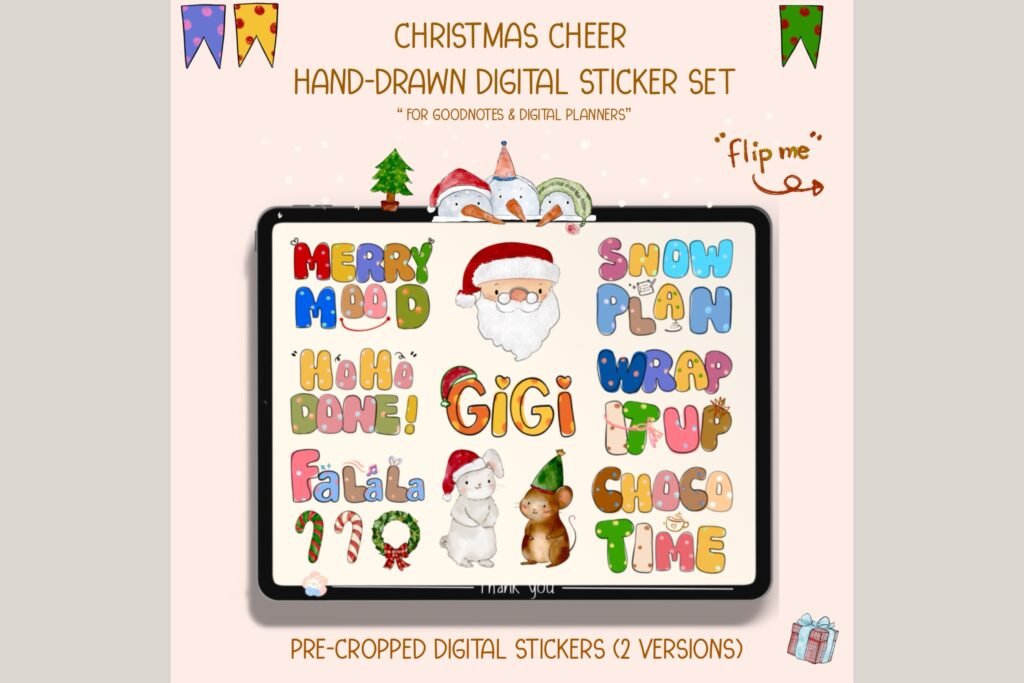
Sheets: 12 PNG (6 transparent + 6 white)
Size: 2732 x 2048 px and US Letter
Apps: GoodNotes, Notability
Best for: digital planners who want stickers ready to drag and drop
- Hand-lettered holiday phrases
- Cute holiday characters
- Transparent versions for apps, white versions for printing
Pre-cropped stickers save the fiddly step of cutting each one out in the app. Hand-lettered phrases are great for headers on gift and to-do pages.
Best Pre-Cropped GoodNotes File
3. December Wacky Holidays, 31 PNG Stickers

Stickers: 25+
Format: .goodnotes file + PNG
Apps: GoodNotes, Notability, Android apps
Best for: adding a fun holiday to every day of December
- Fun awareness days for December
- Pre-cropped GoodNotes sticker file
- Transparent PNGs for other apps
Import the .goodnotes file and the stickers are ready in your sticker book. A quirky holiday each day keeps planning fun.
Best Doodle Style
4. Hand Drawn Christmas Scrapbook Sticker

Format: SVG, EPS, JPG
Style: Hand-drawn doodles with sticker borders
Best for: a playful, hand-drawn December journal
- Doodle Christmas illustrations
- Die-cut style white borders
- Vector files that resize without blur
White borders make each doodle look like a real sticker on a digital page. Vector files are handy if you also like to print and cut.
Best Cozy Winter Set
5. Cute Winter Digital Stickers Bundle PNG

Format: PNG, transparent
Theme: Winter and Christmas
Best for: pages that should feel cozy all winter, not only in December
- Snowy cabin, pine trees and snow globe
- Mittens, scarf, beanie and boots
- Hot chocolate and festive decor
Winter themes keep working into January and February, so the set lasts beyond Christmas. Transparent backgrounds sit cleanly on any page color.
Big Christmas PNG Sticker Bundles
Large sets with enough stickers for a whole month of pages.
Best Big Watercolor Set
6. 45 Premium Christmas Sticker Bundle PNG

Stickers: 45
Format: PNG
Best for: people who want lots of choice for a whole month of pages
- Santa, reindeer, snowmen and gingerbread
- Trees, ornaments, bows, candy canes and gifts
- Hand-painted look with vibrant colors
With 45 stickers, you can decorate every day of December without repeats. Use them in a digital planner or print them for a paper journal.
Best Whimsical Watercolor
7. 43 Premium PNG Christmas Stickers Bundle

Stickers: 43
Format: PNG
Best for: a soft, whimsical watercolor look
- Holiday characters and Santa Claus
- Ornaments, gifts and candy canes
- Charming hand-painted details
Soft painted edges blend nicely with pastel or cream planner pages. Mix a few on a weekly spread for an instant holiday feel.
Best for Gift Lists
8. 45 Premium Christmas Sticker Bundle PNG
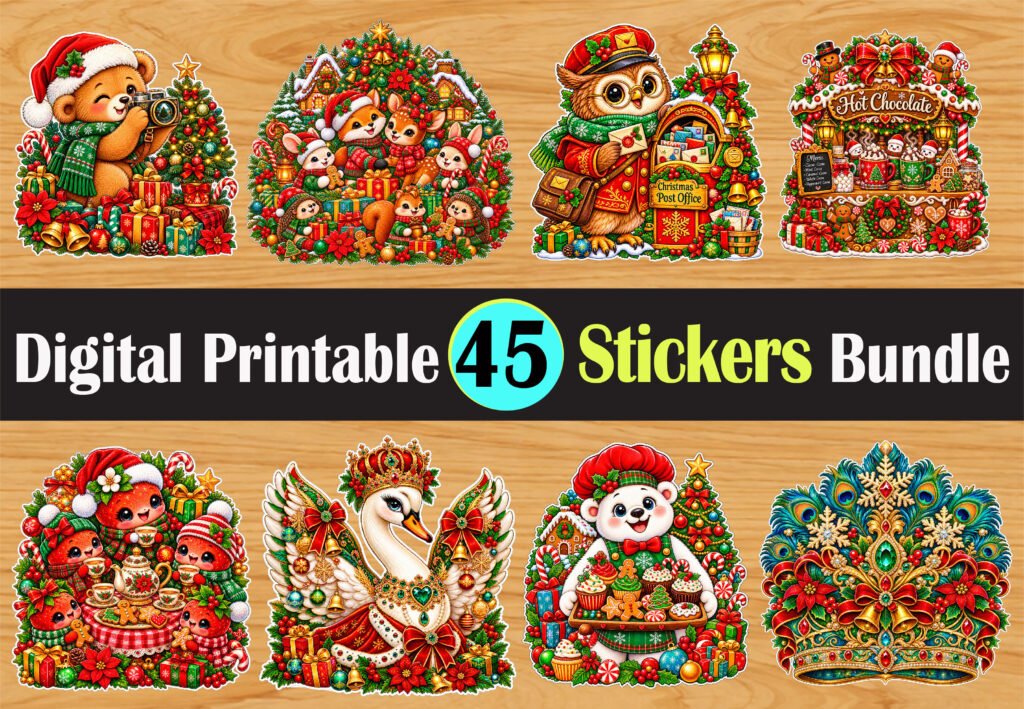
Stickers: 45
Format: PNG
Best for: decorating gift lists and holiday to-do pages
- Wrapped gifts and festive bows
- Christmas trees and colorful ornaments
- Reindeer, snowmen and gingerbread cookies
Gift and bow stickers make a natural marker next to each name on a shopping list. The set also works for printable gift tags.
Best for Holiday Journals
9. 45 Premium PNG Christmas Sticker Bundle

Stickers: 45
Format: PNG
Best for: memory keeping and holiday journaling
- Santa and holiday characters
- Festive decorations and treats
- Vibrant, whimsical artwork
Add a sticker beside each memory to make your holiday journal more lively. High-resolution files keep edges sharp when resized.
Cute and Funny Christmas Stickers
Characters, frames and doodles that add personality to holiday pages.
Best for Cat Lovers
10. Christmas Cats Digital Stickers

Stickers: 32 PNG
Resolution: 300 DPI
Best for: cat lovers decorating holiday pages
- 32 cute Christmas cats
- Transparent PNG files
- Works for planners, cards and posters
A cat in a Santa hat makes any to-do list friendlier. Thirty-two stickers give plenty of choice for daily pages.
Best Frames
11. Christmas Frame Digital Stickers

Stickers: 8 PNG
Resolution: 300 DPI
Best for: framing notes, dates and photos
- 8 Christmas frames
- Transparent PNG files
- Space inside for text or photos
Frames turn a plain note into a highlighted box, which is great for key dates. Drop a photo inside to make a memory page.
Best Winter Doodles
12. Winter Doodle Digital Stickers
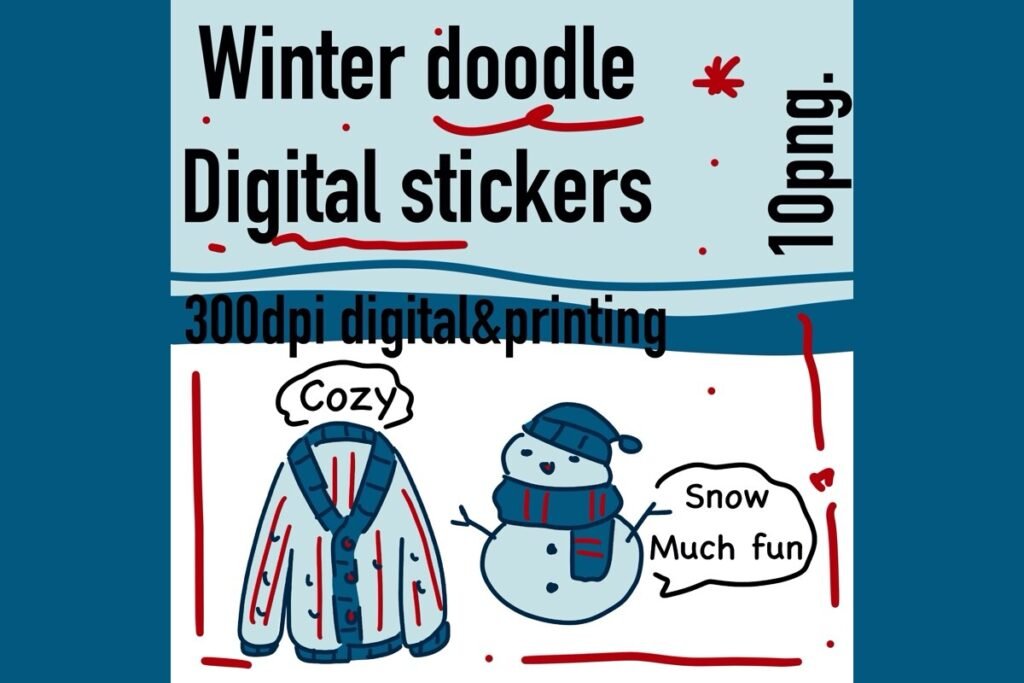
Stickers: 10 PNG
Resolution: 300 DPI
Best for: simple doodle accents for winter pages
- 10 cute winter doodles
- Transparent PNG files
- Light, minimal style
Small doodles add charm without crowding a busy weekly spread. They work all season long.
Best Polka Dot Style
13. Holiday Polka Dot Digital Stickers

Stickers: 10 PNG
Resolution: 300 DPI
Best for: a playful, patterned holiday look
- 10 holiday polka dot stickers
- Transparent PNG files
- Bright, cheerful patterns
Polka dots add a fun, retro touch to holiday headers and labels. Mix them with plain pages for contrast.
Best Funny Santas
14. Cute Santa Sticker SVG Bundle

Stickers: 10
Format: SVG, PNG, EPS, DXF, JPG
Best for: adding humor to holiday pages
- Skateboard Santa and Santa stuck in the chimney
- Santa sleeping on the naughty list
- Penguin with candy cane and more
Funny Santas lighten up a stressful to-do list. Many file formats make them easy to use in apps or for printing.
Best Retro Town
15. Retro Christmas Winter Town Stickers

Stickers: 34 PNG + 33 SVG + EPS
Resolution: 300 DPI
Best for: mid-century retro holiday styling
- Holiday market, toy shop, book store and cinema
- Snowman, skates and lamp posts
- Festive retro signs
Little shop fronts make cute headers for gift shopping lists and event pages. The mid-century style stands out from typical Christmas art.
Best Red and White
16. Red and White Winter Digital Stickers

Stickers: 7 PNG
Size: about 3000 x 5000 px, 300 DPI
Best for: a clean two-color holiday look
- Snowman, polar bear and penguin
- Gingerbread man and bunny in a wooly hat
- Birds and sparrow
A strict red and white palette looks tidy on minimal planner pages. Large files stay sharp at any size.
Best Christmas Trees
17. Christmas Tree Stickers Digital

Stickers: 4 PNG
Resolution: 300 DPI
Best for: a simple, single-theme accent
- 4 Christmas tree stickers
- Transparent PNG
- Print or digital use
A tree sticker is an easy marker for decorating day or tree shopping on your calendar. Use one per week to count down to Christmas.
Christmas Digital Stickers at a Glance
| Type | Best for | Key features | Format |
|---|---|---|---|
| Pre-cropped sets | Quick decorating | Ready to drag and drop | PNG, .goodnotes |
| Big PNG bundles | Lots of variety | 43 to 45 stickers per set | PNG |
| Cute and funny sets | Personality on the page | Cats, Santas, frames, doodles | PNG, SVG |
How to Use Digital Stickers in GoodNotes
- Unzip the files. Save the PNGs to your Files or Photos app.
- Import a .goodnotes sticker file. If a set includes one, open it in GoodNotes to get a ready sticker book.
- Use the lasso tool. On a sticker sheet, circle one sticker, then copy and paste it onto your page.
- Save favorites to Elements. Add stickers you use often to the GoodNotes Elements library.
- Resize and rotate. Pinch to resize, and keep stickers small so text stays readable.
FAQ
How do I add digital stickers to GoodNotes?
Import the PNG or image into your page using the image tool, or open a .goodnotes sticker file and copy stickers with the lasso tool. Newer GoodNotes versions let you save stickers to the Elements library for quick reuse.
What does pre-cropped mean for digital stickers?
Pre-cropped stickers are already cut out as separate images with transparent backgrounds. You can drop them onto a page without cropping each one by hand.
Do digital stickers work in Notability?
Yes. Transparent PNG stickers can be inserted as images in Notability and most other note-taking apps.
Why do my stickers have a white background?
The file is probably a JPG or a PNG without transparency. Use the transparent PNG version from the set, or crop the sticker closely in your app.
Final Thoughts
Christmas digital stickers are the easiest way to make your December planner feel festive. Choose a pre-cropped set for quick decorating in GoodNotes, a big bundle for daily variety or a themed set with cats, Santas or a retro town for extra personality. For background on how stickers began, see this article on stickers.


3 Comments