
Undated Digital Planners: 28 Best Reusable Picks for GoodNotes
An undated digital planner lets you start planning on any day of the year and never wastes a page. This list includes undated digital planner options for GoodNotes and Notability, large 600-page planners, minimal and cute designs, dark mode, weekly and monthly undated planners and a printable option.
Quick Picks
- Best for daily planning: Undated Digital Planner (620 Pages)
- Best cute planner: Cozy Cat Digital Planner (Undated)
- Best minimal design: Undated Digital Planner, Minimal
- Best navigation: Undated Reusable Digital Planner
- Best dark mode: Black Life Digital Planner (Dark Mode)
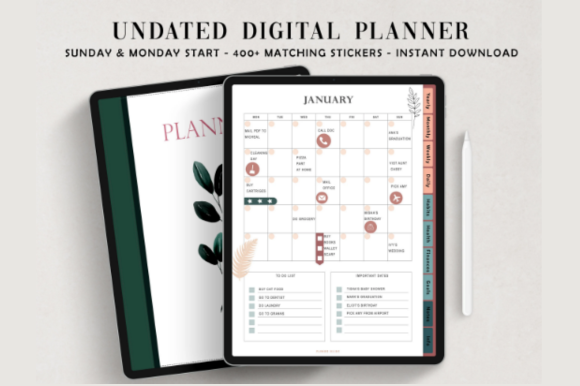
- Best sticker bonus: Undated Digital Planner, Monday and Sunday Start
Why Choose an Undated Digital Planner?
Dated planners are ready to use, but every skipped week stays empty. An undated planner works the other way: you write the dates yourself, so you can start in November, pause in summer and keep going without gaps. Many undated planners can be reused year after year by duplicating pages in GoodNotes or Notability.
Large Undated Digital Planners
Hundreds of pages with daily layouts and many trackers.
Best for Daily Planning
1. Undated Digital Planner (620 Pages)

Pages: 620
Format: Hyperlinked PDF
Layout: Landscape
Best for: a full daily page for every day
- Index, year at a glance and 12 monthly calendars
- Weekly overview and daily pages
- Budget, subscription and password trackers
- Meal, cleaning and self-care planners, gratitude journal
With a daily page for each day, there is always room to write. Extra trackers turn it into a small home organizer too.
Best Portrait Planner
2. Portrait Digital Planner (620 Pages)
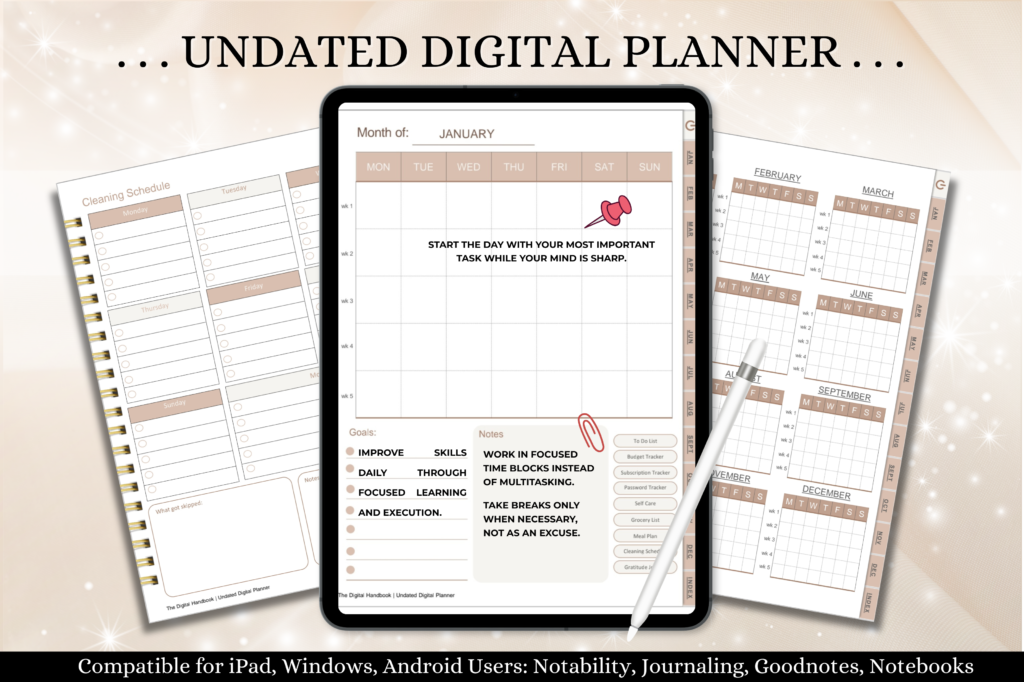
Pages: 620
Format: Hyperlinked PDF
Layout: Portrait
Best for: planning with the tablet held upright
- Year at a glance and monthly calendars
- Weekly and daily pages
- Checklists, budget and meal planner
- Four note paper styles
A portrait page fits one-handed use and smaller tablets. Thousands of links make moving around quick.
Best for Android Tablets
3. Undated Digital Planner, 616 Pages

Pages: 616
Format: Hyperlinked PDF
Bonus: Digital stickers
Best for: GoodNotes on iPad or note apps on Android
- Hyperlinked monthly and weekly pages
- Digital planner stickers
- Works with GoodNotes, Notability and Xodo
The planner is reusable year after year. Stickers let you decorate and mark tasks at the same time.
Best Template Variety
4. Digital Planner for iPad and GoodNotes
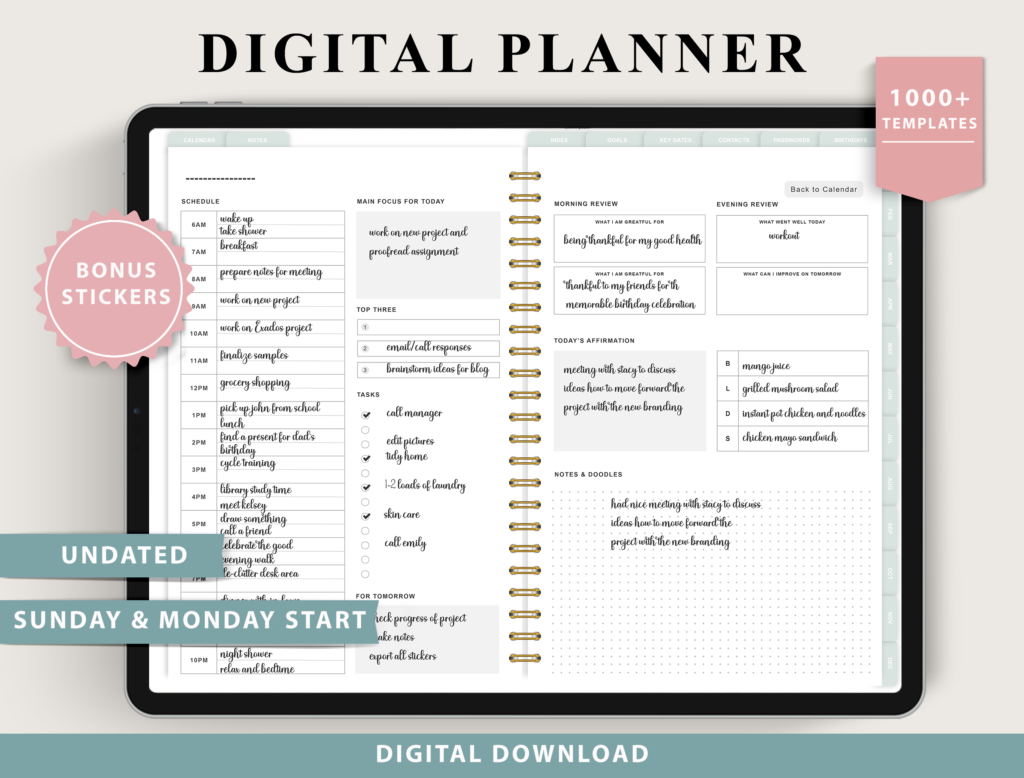
Templates: 100+
Start: Monday and Sunday
Bonus: Digital stickers
Best for: choosing your own weekly and daily layouts
- 4 weekly and 4 daily layout options
- 9 fitness trackers
- 10 finance trackers
- Digital stickers
Several layout options let you pick boxed, horizontal or scheduled weeks. Fitness and finance trackers are built in.
Best Sticker Bonus
5. Undated Digital Planner, Monday and Sunday Start

Planners: 2
Bonus: 3000+ stickers, 1340+ icons, 200+ covers
Best for: decorating a digital planner
- Homepage index and yearly calendar
- Monday and Sunday start versions
- Pre-cropped icons in 14 palettes
- Pages easy to duplicate or remove
A huge sticker and cover library means you can restyle the planner often. Thousands of hyperlinks keep it quick.
Best Yearly Overview
6. Undated Yearly Daily Digital Planner

Format: Hyperlinked PDF
Best for: big-picture planning across the year
- Year in pixels, vision board and resolutions
- Monthly planners and period tracker
- Annual finances and birthdays
- Book and movie trackers, note pages
Yearly spreads like year in pixels show patterns over time. Many trackers keep everything in one file.
Minimal and Neutral Undated Planners
Best Minimal Design
7. Undated Digital Planner, Minimal
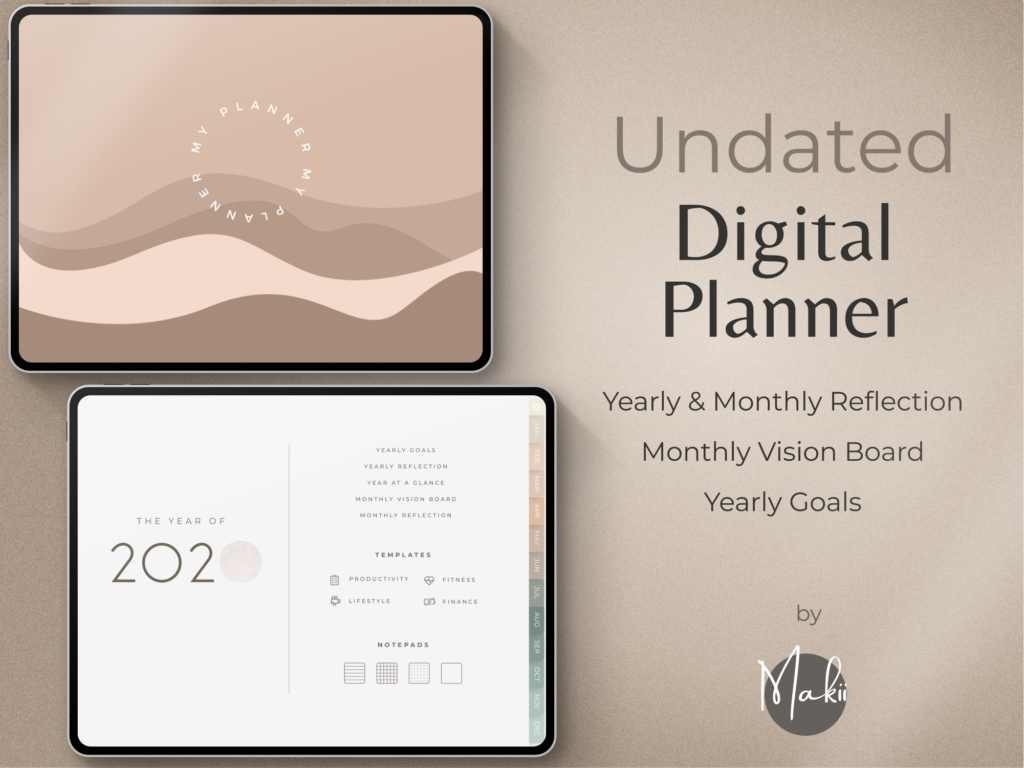
Stickers: 250 pre-cropped
Start: Monday and Sunday
Best for: a clean, modern planner
- Dashboard home page
- Yearly, monthly, weekly and daily pages
- Planner covers
- Easy start guide
A dashboard page keeps the key things in one view. Minimal pages leave room for your own style.
Best Neutral Theme
8. Undated Digital Planner for Goodnotes

Files: Monday and Sunday start
Bonus: 10 covers
Best for: a calm, simple everyday planner
- Undated calendar, key dates and yearly overview
- End-of-year review and resolutions
- Monthly planner and monthly review
- Year in pixels, habit and finance trackers
Clean, practical pages with a few playful touches. Monthly reviews help you see how the year is going.
Best Navigation
9. Undated Reusable Digital Planner

Format: Hyperlinked PDF
Bonus: Sticker inserts
Best for: fast planning in two taps
- Portrait pages for side-by-side view
- Navigate anywhere in two clicks
- Matching sticker inserts
Smart navigation means almost no page swiping. Side-by-side view lets you plan across two pages.
Best Weekly Planner
10. Undated Weekly Digital Planner

Format: GoodNotes file + hyperlinked PDF
Best for: weekly planners who like a realistic paper look
- Monday start planner
- Illustrated instruction guide
- Minimal page swiping
A GoodNotes file and a PDF version mean it works in almost any app. The realistic design feels like paper.
Best Paper Feel
11. Undated Digital Planner, Paper Texture

Format: PDF
Best for: a realistic paper look on a tablet
- Monthly, weekly and daily pages
- Goals, health and finance sections
- Note pages and lists
A paper-like texture makes writing on glass feel more natural. Extra covers let you change the look.
Best Basic Planner
12. Undated Digital Planner for GoodNotes and iPad
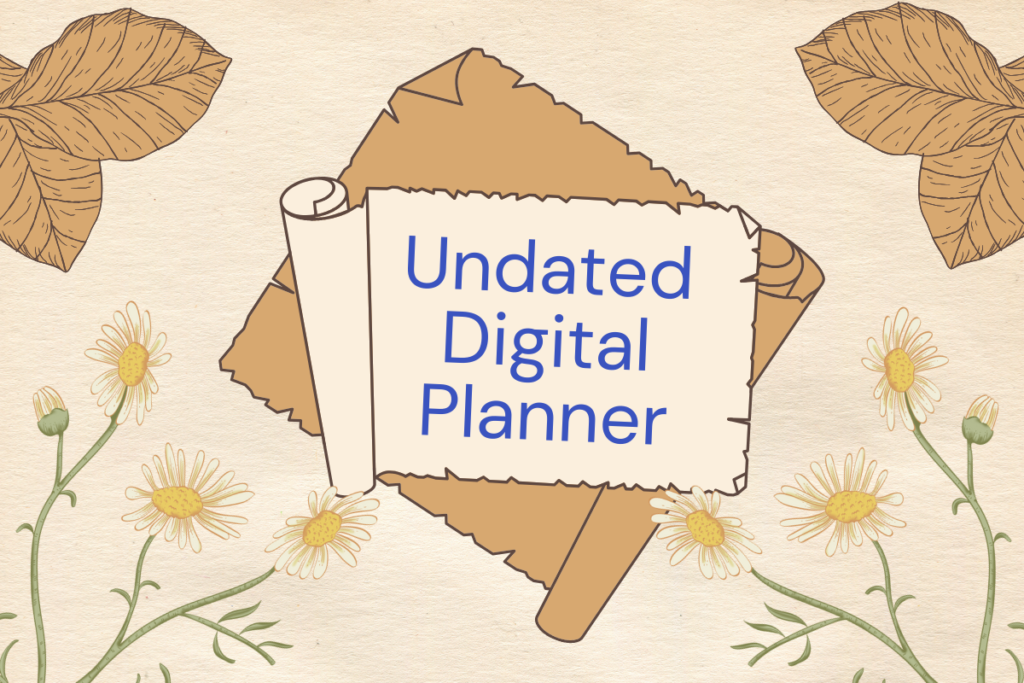
Format: One PDF file
Best for: a quick, simple monthly planner
- Monthly pages
- To-do and important notes
- Hyperlinked tabs
A short, simple planner is easy to start using today. Works on iPad, Android and desktop PDF apps.
Best Dark Mode
13. Black Life Digital Planner (Dark Mode)

Pages: 68
Format: Hyperlinked PDF
Size: 11 x 8.3 in
Best for: evening planners who prefer dark pages
- Daily and weekly planners, self-care checklist
- Habit tracker, reading log, routines
- Workout plan, 30-day challenges, medication log
- Budget, no spend challenge, debt and savings
Dark pages are easier on the eyes at night. Sixty-eight pages keep it light and fast.
Cute and Colorful Undated Planners
Best Cute Planner
14. Cozy Cat Digital Planner (Undated)
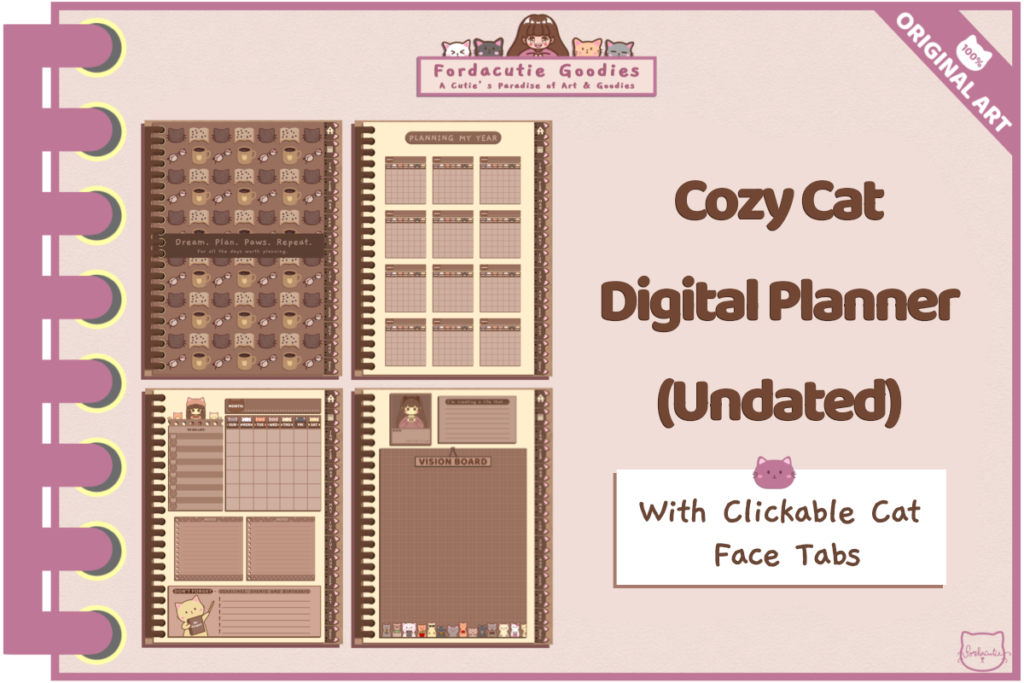
Pages: 148
Format: PDF, also printable
Best for: cat lovers who like a cozy kawaii look
- Vision board and undated year at a glance
- 12 monthly pages and 12 goal trackers
- 60 weekly layouts
- Financial trackers
Every page is hand-drawn, with clickable cat face tabs. It works on phones and tablets and can be printed too.
Best Plant Design
15. Sweet Plant Digital Planner

Format: Hyperlinked PDF
Apps: GoodNotes, Notability, Noteshelf, Xodo
Best for: plant lovers and bullet journal fans
- Cover with space for your text
- Future log, monthly, weekly and daily logs
- Year in pixels and finance tracker
Bullet journal style logs make it flexible. Add more daily pages whenever you need.
Best Botanical Planner
16. Classic Botanical Digital Planner

Format: Hyperlinked PDF
Apps: GoodNotes, Notability, Noteshelf, Xodo
Best for: a classic, elegant look
- Calendar and visions page
- Future log and undated monthly log
- Weekly and daily logs
- Mood and finance trackers
Botanical art gives it a timeless feel. Clickable tabs and buttons keep it easy to use.
Best Sectioned Planner
17. Deep Blue Undated Digital Planner
Pages: 112
Sections: 10
Format: Hyperlinked PDF
Best for: keeping each area of life separate
- 10 divider pages with their own covers
- Yearly overview, goals and key dates
- Monthly, weekly and daily pages
- Habit and health pages
Ten sections, each with its own cover, feel like a real ring binder. Deep blue tones give it a calm look.
Best Warm Colors
18. Undated Digital Planner, Life Planner

Pages: 110
Sections: 10
Format: Hyperlinked PDF
Best for: a cozy, warm-toned planner
- 10 hyperlinked divider pages
- Monthly, weekly and daily pages
- Habit and health pages
- Instruction guides for GoodNotes and NoteShelf
Warm autumn colors make planning feel cozy all year. Instructions help if you are new to digital planners.
Best Classic Tabs
19. Undated Digital Planner, Rose

Format: Hyperlinked PDF
Best for: people who like a traditional planner look
- Yearly, monthly, weekly and daily spreads
- Health, fitness and meal sections
- Goals and task lists
Right-side tabs look like a paper planner. It is expandable, so add pages as needed.
Best Pink and Gold
20. Pink and Gold Undated Digital Planner
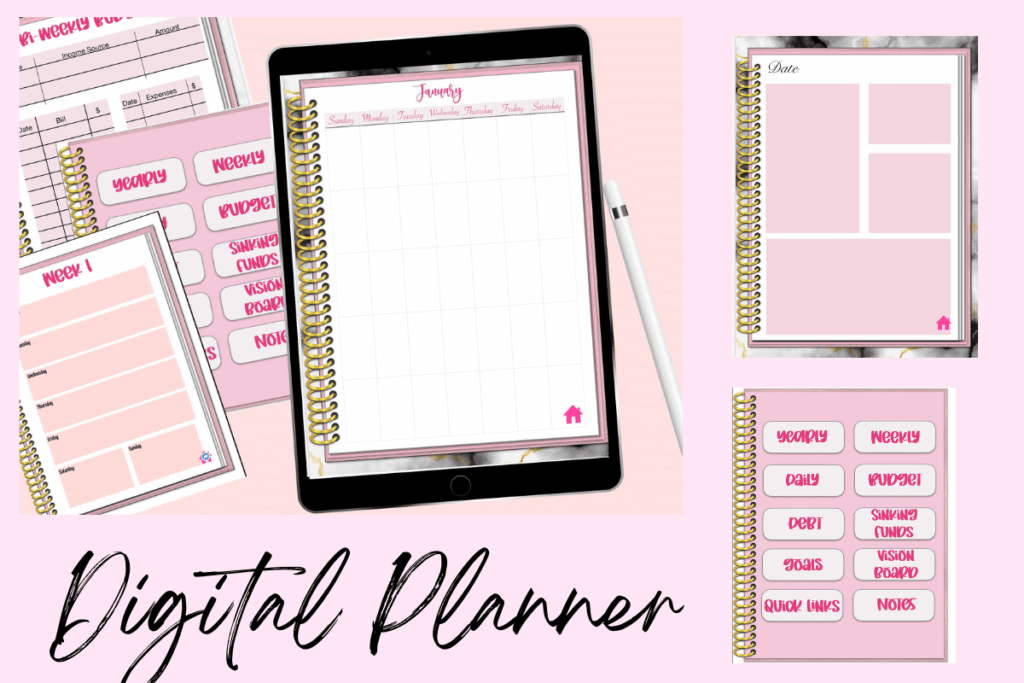
Format: Hyperlinked PDF
Layout: Portrait
Best for: budgeting and planning in one pretty planner
- Monthly and weekly calendars, daily to-do sheets
- Budget, debt repayment and sinking funds
- Brain dump, password keeper, vision board
Sinking funds and debt pages make it a strong choice for money goals. Pink and gold keep it pretty.
Best Monthly Calendar
21. Amethyst Monthly Undated Digital Planner

Pages: 12 monthly
Start: Monday and Sunday
Layout: Landscape
Best for: a month at a glance
- 12 monthly pages, 6 weeks per month
- Amethyst gradient design
- Works in GoodNotes, Notability, OneNote, Xodo
Six-week grids show the whole month at once. A calm gradient makes it pleasant to open every day.
Undated Planners With Life and Wellness Pages
Best Ready-to-Use Planner
22. The Joy Undated Digital Planner

Pages: 86
Format: Hyperlinked PDF
Best for: a planner to use as is
- 12 undated calendars
- Weekly and daily pages
- Habits and health pages
- Money pages: revenue, expenses, budget
Duplicate or delete pages as you go. Goals grids help turn plans into small steps.
Best Self-Care Sections
23. Digital Planner for GoodNotes and Notability

Pages: 70
Sections: 8
Format: Hyperlinked PDF
Best for: self-care and money in one planner
- 12 monthly, 5 weekly and 7 daily pages
- Vision board and 21-day habit tracker
- 30-day self-care challenge
- Debt snowball, no spend challenge, savings plan
Self-care and finance pages sit next to the calendar. Add more pages whenever you need.
Best Reusable Planner
24. Undated Digital Planner with Stickers

Format: Hyperlinked PDF
Bonus: Digital stickers
Best for: balancing goals and daily tasks
- Monthly and weekly pages
- Goal pages
- Functional digital stickers
Simple navigation and reusable pages make it a good first digital planner. Use it on iPad or Android.
Best for Habits
25. Digital Planner for GoodNotes
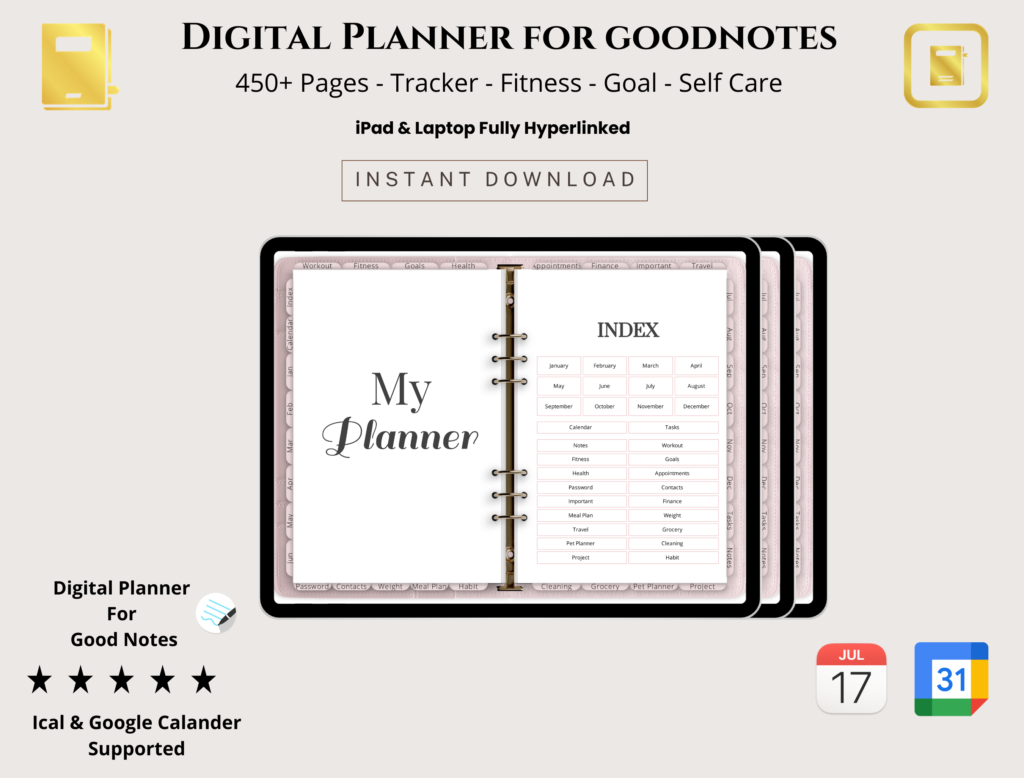
Format: PDF
Best for: students, professionals and fitness fans
- Daily, weekly and monthly layouts
- Goal setting and to-do lists
- Budget, expense and habit trackers
Plenty of trackers help you build routines. Note-taking pages give space for ideas.
Best Hourly Planner
26. Digital Undated Planner, Portrait Mode

Pages: 35
Format: Hyperlinked PDF + Canva link
Best for: time blocking each day
- Yearly, monthly, weekly and daily planner
- Hourly planner from 6 AM to 11 PM
- Personal info and notes pages
An hourly page from morning to night is great for time blocking. The Canva link lets you change the templates.
Best Planner Journal
27. Undated Digital Planner Journal for GoodNotes

Format: PDF
Layout: Landscape two-page view
Best for: combining a planner and a journal
- Scrapbook section for photos
- Monthly gratitude pages
- Undated daily pages with journal space
- Weekly overview
A journal page and scrapbook space make it a memory keeper as well as a planner. Plan shifts, meals and prayers in one place.
Best Printable Option
28. Printable Feminine Digital Planner
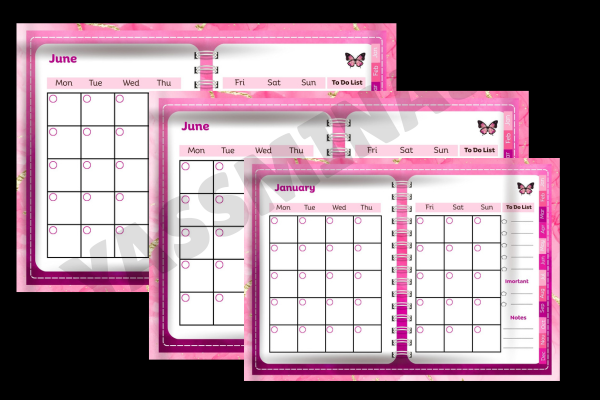
Size: 8.5 x 11 in
Format: High-resolution PDF
Best for: printing or using on a tablet
- Daily, weekly and monthly layouts
- Space for notes, goals and schedules
- Soft pink design
Print it at home or import it into a note app. The undated pages mean nothing goes to waste.
Undated Digital Planners at a Glance
| Type | Best for | Key features | Format |
|---|---|---|---|
| Large planners | Daily writing | 500 to 600+ pages, many trackers | Hyperlinked PDF |
| Minimal planners | Clean pages | Dashboards, fast navigation | Hyperlinked PDF |
| Cute and colorful | Fun planning | Hand-drawn art, themes | Hyperlinked PDF |
| Life and wellness | Self-care and money | Habit, health and budget pages |
How to Use an Undated Digital Planner
- Import the PDF into GoodNotes, Notability, Noteshelf or Xodo.
- Write the dates on the monthly pages first, then on the weeks.
- Duplicate pages you use often, such as daily or weekly layouts.
- Delete what you skip so the file stays light.
- Save a blank copy to reuse the planner next year.
FAQ
What does undated planner mean?
An undated planner has no printed dates. You fill in the month and days yourself, so you can start at any time.
Can you reuse an undated digital planner?
Yes. Keep a blank copy of the PDF and import a fresh one each year, or duplicate pages inside your note app.
Do undated digital planners work with GoodNotes?
Hyperlinked PDF planners usually work in GoodNotes, Notability, Noteshelf and Xodo. Check the format details, as some are made for specific apps.
Is an undated planner better than a dated one?
It depends on how you plan. Undated planners suit people who skip weeks or start mid-year, while dated planners save time on writing dates.
Do digital planners work on Android?
Yes, hyperlinked PDF planners work on Android tablets with apps such as Xodo, Noteshelf or Samsung Notes.
Final Thoughts
An undated digital planner is a flexible way to plan on a tablet: start any day, skip weeks and reuse the file next year. Choose a large planner for daily writing, a minimal one for clean pages or a cute design that makes you want to open it every morning. For background, see this article on personal organizers.


2 Comments