
Digital Notebooks for GoodNotes: 22 Best Hyperlinked Notebooks with Tabs
A digital notebook gives you tabs, sections and endless pages in a single PDF, so all your notes stay organized on a tablet. This list includes a 500-page digital notebook, student notebooks with up to 24 tabs, Cornell notes templates, dark mode pages, cute themed notebooks and extra paper packs for GoodNotes and Notability.
Quick Picks
- Best large digital notebook: Digital Notebook, 500 Pages
- Best student digital notebook: Student Digital Hyperlinked Notebook
- Best Cornell notes notebook: Digital Notebook
- Best notebook with stickers: Digital Student Notebook
- Best dark mode notebook: Dark Mode Digital Notebook – Blue Theme
How to Set Up a Digital Notebook
- Import the PDF: open it in GoodNotes, Notability or a similar PDF app.
- Name the tabs: one tab per subject, project or area of life.
- Choose page types: lined for notes, grid for math, dot grid for sketches, Cornell for lectures.
- Duplicate pages: copy a blank page whenever a section needs more space.
- Use the index: jump back to the contents page instead of scrolling.
- Back up: turn on cloud backup in your note app so nothing gets lost.
Digital Notebooks with Tabs
Best Large Digital Notebook
1. Digital Notebook, 500 Pages

Pages: 500
Sections: 10
Paper: Lined, bottom lined, graph, dot grid, Cornell
Best for: school, work and long-term note-taking
- Hyperlinked dividers for every section
- Name your notebooks and sections
- Five page layouts including Cornell notes
- Digital stickers, icons and sticky notes
Five hundred pages mean you will not run out of space halfway through a semester. Cornell and graph pages suit lectures and math, while dot grid works for planning and sketching. Rename sections to match your subjects or projects.
Best Student Digital Notebook
2. Student Digital Hyperlinked Notebook
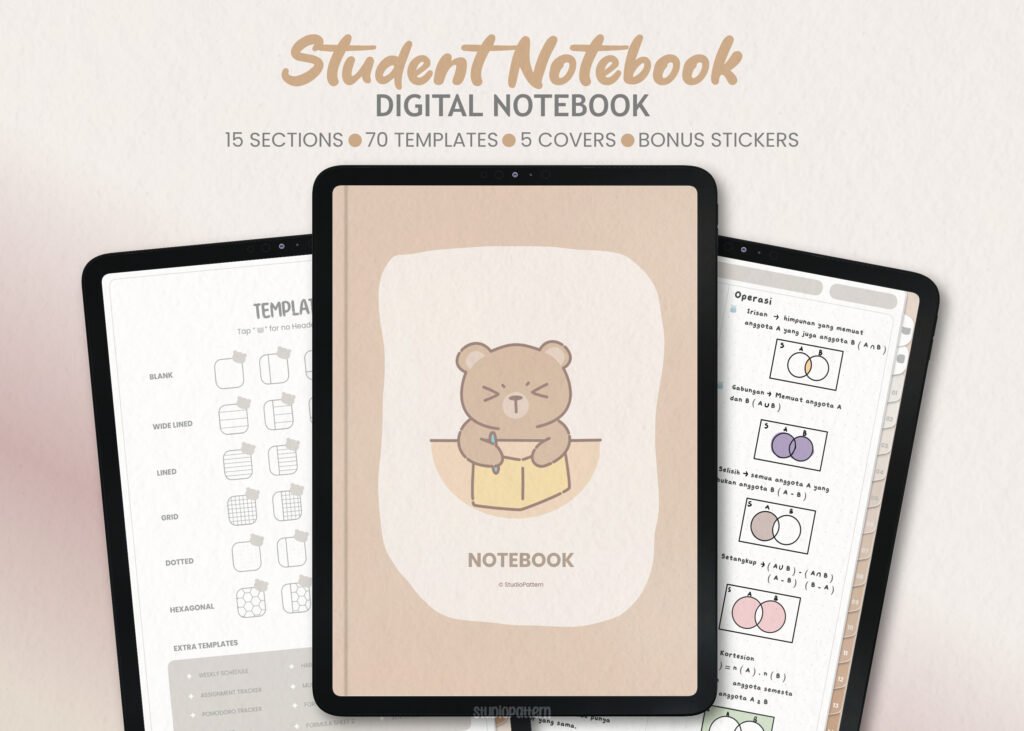
Sections: 15
Templates: 70 note-taking pages
Apps: GoodNotes, Notability, Xodo, Noteshelf
Best for: college and high school students
- 15 divider tabs with clickable buttons
- 70 note-taking templates
- Contents page
- Name and describe each section
Fifteen tabs give each subject its own space, and the contents page brings you back with one tap. Add whichever note page you need behind each tab.
Best Floral Digital Notebook
3. Floral Hyperlinked Digital Notebook

Sections: 12
Paper: Lined, blank, half-lined
Format: PDF
Best for: journaling, notes and everyday planning
- 12 hyperlinked sections
- Three page types in every section
- Duplicate pages to add more
- Works with GoodNotes and other PDF apps
Half-lined pages leave room for a sketch or photo above your notes. The soft floral design makes daily journaling feel pleasant.
Best Cornell Notes Notebook
4. Digital Notebook
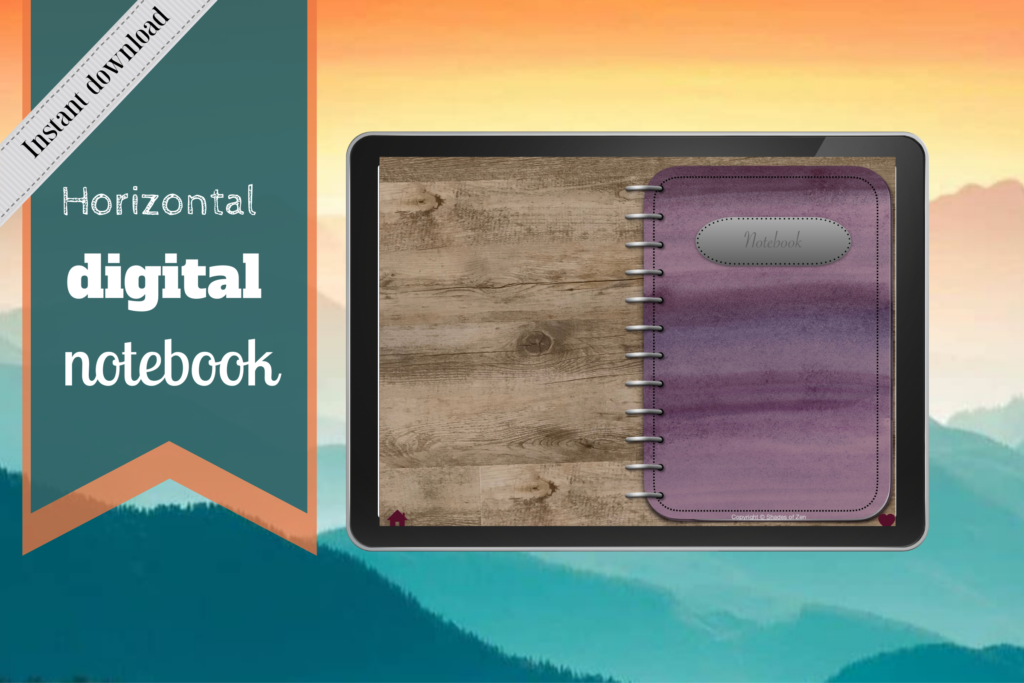
Sections: 12
Templates: 16 including Cornell, graph, wide ruled
Extras: Instructions included
Best for: structured study notes
- Unique divider for each section
- Lined, dotted, wide ruled, graph and Cornell notes
- Hyperlinked tabs from any page
- Expand each section as needed
Sixteen templates cover almost any kind of note. Instructions help if this is your first digital notebook.
Best 5-Tab Notebook
5. Digital Notebook 5 Hyperlinked Tabs

Tabs: 5
Apps: GoodNotes, Notability
Best for: a small, focused notebook
- Five tabbed sections
- Blank page for drawing and brainstorming
- Lined pages for notes
- Several paper templates in each section
Five sections are easy to manage for one class, a work project or a hobby.
Best Notebook with Stickers
6. Digital Student Notebook

Sections: 10
Paper: Blank, dotted, lined
Extras: 6 covers, 650+ stickers
Best for: people who like to decorate their notes
- 10 hyperlinked sections
- Custom section names
- 6 bonus covers
- 650+ matching digital stickers
Matching stickers and covers turn plain notes into a pretty digital journal.
Best Printable Digital Notebook
7. Digital Notebook, Hyperlinked, Purple Sky
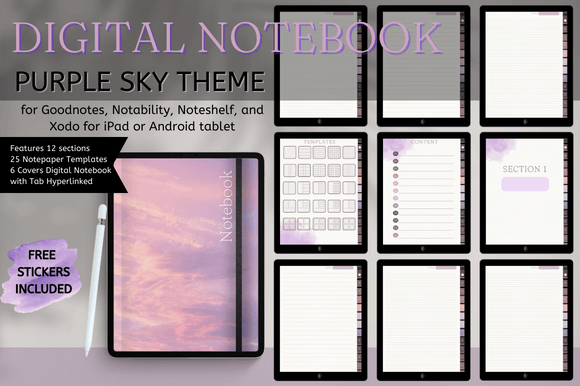
Sections: 12
Templates: 25
Covers: 5 + 1
Best for: people who switch between tablet and paper
- Hyperlinked tabs and buttons
- 25 notebook page templates
- Works in GoodNotes, Notability, Noteshelf, Xodo
- Printable as well
Use it on an iPad or Android tablet, or print the pages you need.
Best Dark Mode Notebook
8. Dark Mode Digital Notebook – Blue Theme

Layouts: 8
Format: PDF + PNG
Size: 8.5 x 11 in
Best for: night owls and late study sessions
- Dark background pages
- Columns, habit tracker, to-do and numbered list
- Dots, square grid, lines and notes
Dark pages are gentle on the eyes in the evening.
Best Pastel Notebook
9. Pastel Digital Notebook Hyperlinked
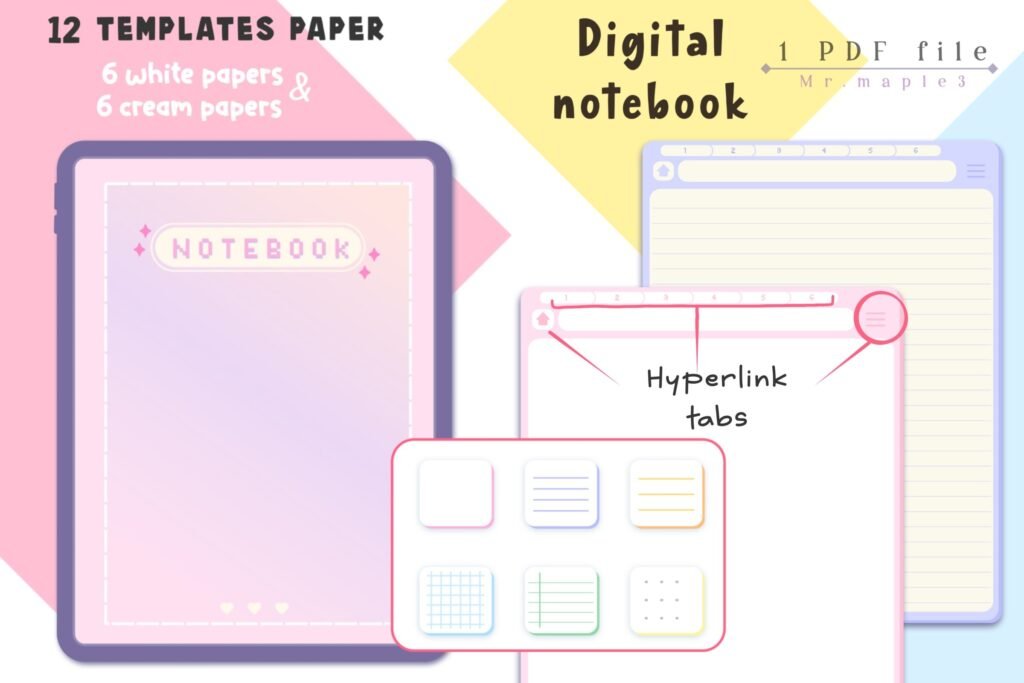
Templates: 12
Apps: GoodNotes, Notability
Best for: cute, colorful note-taking
- Hyperlinked tabs on every page
- 12 paper templates
- Guide for adding templates to each chapter
A soft pastel look for class notes or a personal journal.
Best Simple Notebook
10. Digital Notebook Hyperlinked Cute Green

Pages: 20
Sections: 12
Size: US Letter
Best for: a light notebook that is easy to start
- Cover and index page with shortcuts
- 12 hyperlinked sections
- Printable on US Letter paper
A small, tidy notebook that also prints well.
Best Notebook with Covers
11. Cute Hyperlinked Notebook – 5 Tab

Tabs: 5
Covers: 5
Templates: 6
Best for: choosing a cover to match your mood
- 5 subject dividers
- Index page for quick navigation
- Mix and duplicate paper templates
Five covers let you set up separate notebooks for different subjects.
Best Study Notebook
12. 10 Tab Digital PDF Notebook for Studies
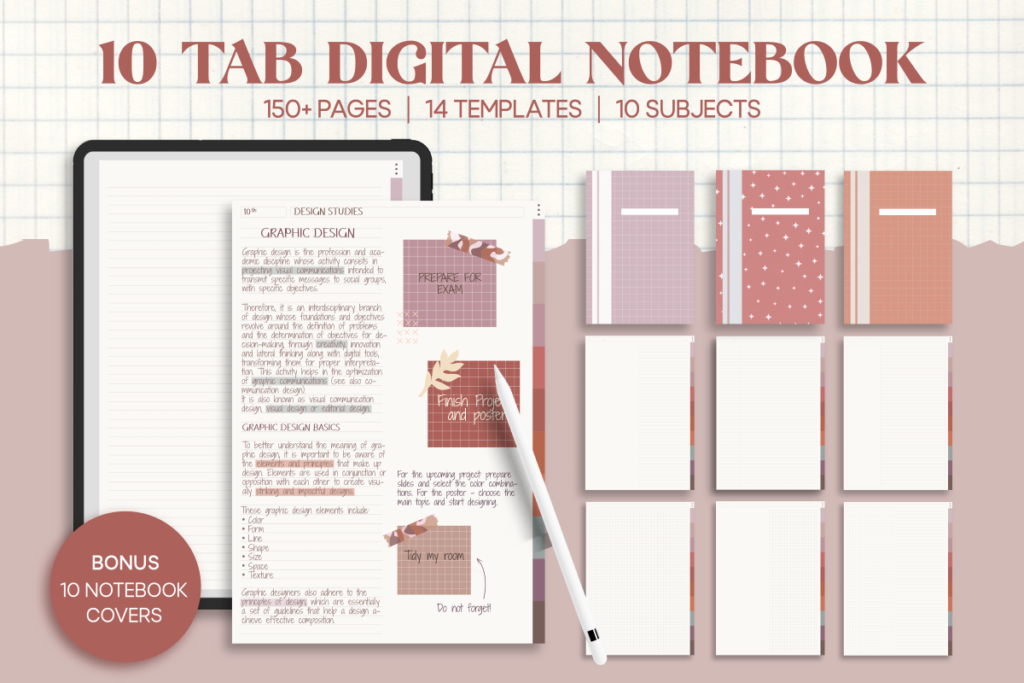
Tabs: 10
Size: A4
Format: Interactive PDF
Best for: studying on a tablet or laptop
- 10 categories for subjects
- Write with a pen or type
- Add images and stickers
- Printable
A4 pages work well for lecture notes and print without resizing.
Best Animal Notebook
13. Digital Notebook PDF Hyperlinked

Templates: 16
Cover sets: 4 animal designs
Best for: study notes, journaling and planning
- Hyperlinked tabs
- 16 paper templates
- Four cute animal sets to choose from
Pick an animal cover and start writing.
Best Fun Notebook
14. Arctic Digital Hyperlinked Notebook
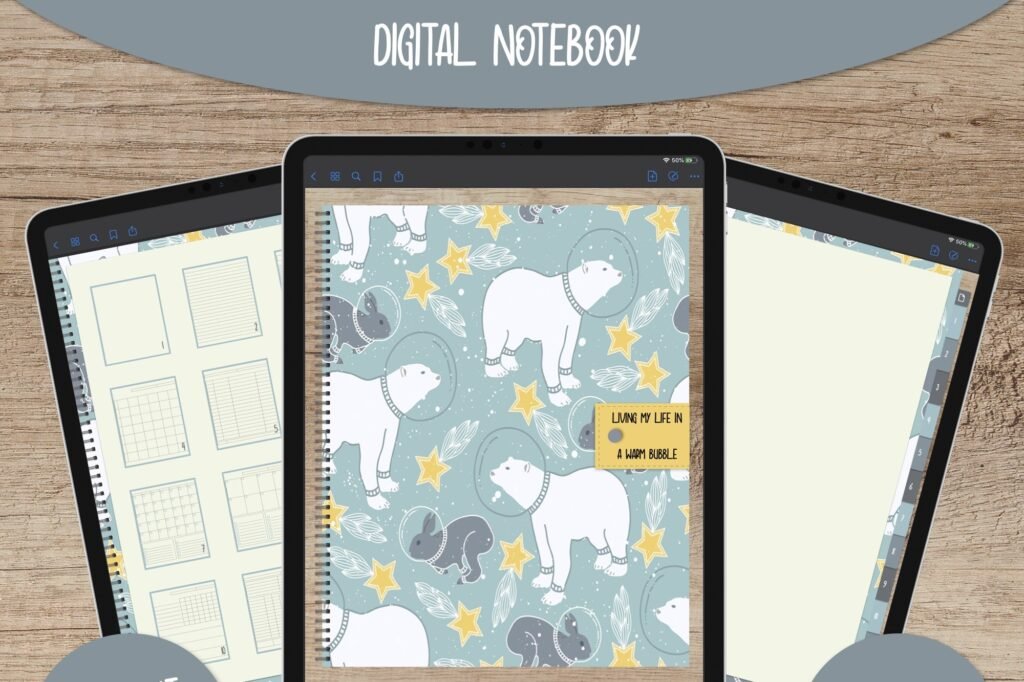
Pages: 15
Templates: 12
Best for: a notebook with a sense of humor
- Colorful hyperlinked tabs and dividers
- Index page
- 12 page templates to duplicate
A playful cover message makes note-taking a little more fun.
Best Mini Journal
15. Absinthe Digital Notebook Journal
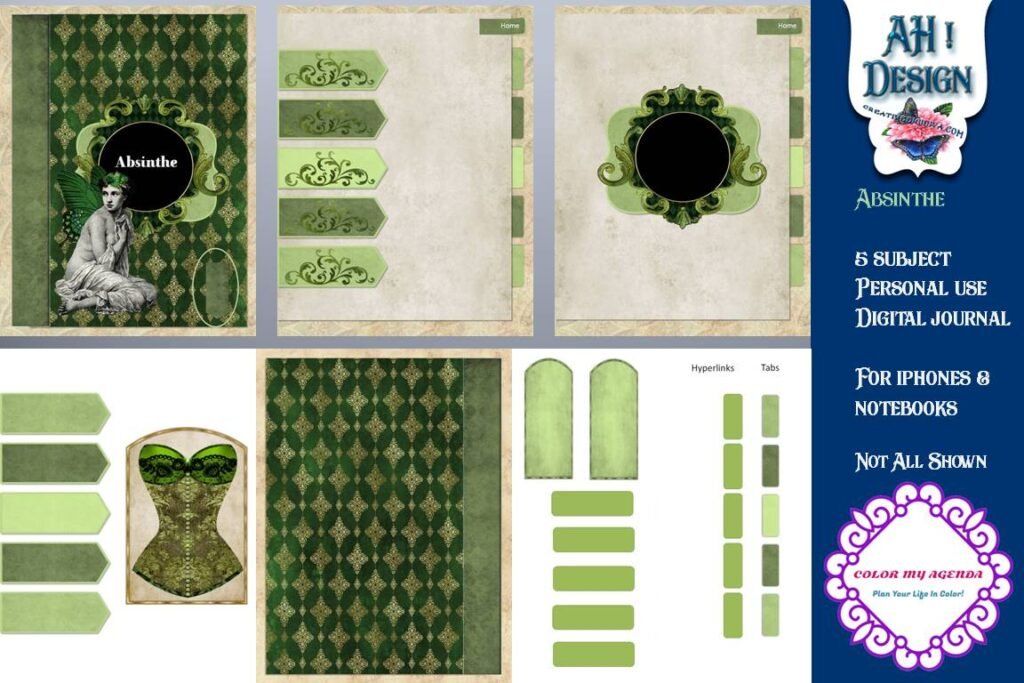
Sections: 5
Size: 8.5 x 11 in PDF
Use: Digital only
Best for: short diary entries and writing notes
- Five hyperlinked sections
- Good for keeping chapters or topics apart
- Made for phones and tablets
A compact journal for quick notes on the go.
Best Notebook Set
16. Digital Notebook Hyperlinked for GoodNotes, 6 Pastel Notebooks

Notebooks: 6 pastel colors
Extras: 5-page sticker book
Best for: one color per subject or project
- Six notebooks in different colors
- Duplicate and customize pages
- Add images and photos
Give each class or project its own color.
More Digital Notebooks to Consider
Extra tab layouts, themed notebooks and a paper pack.
Best Notebook with Many Tabs
17. Digital Notebook, 24 Hyperlinked Tabs
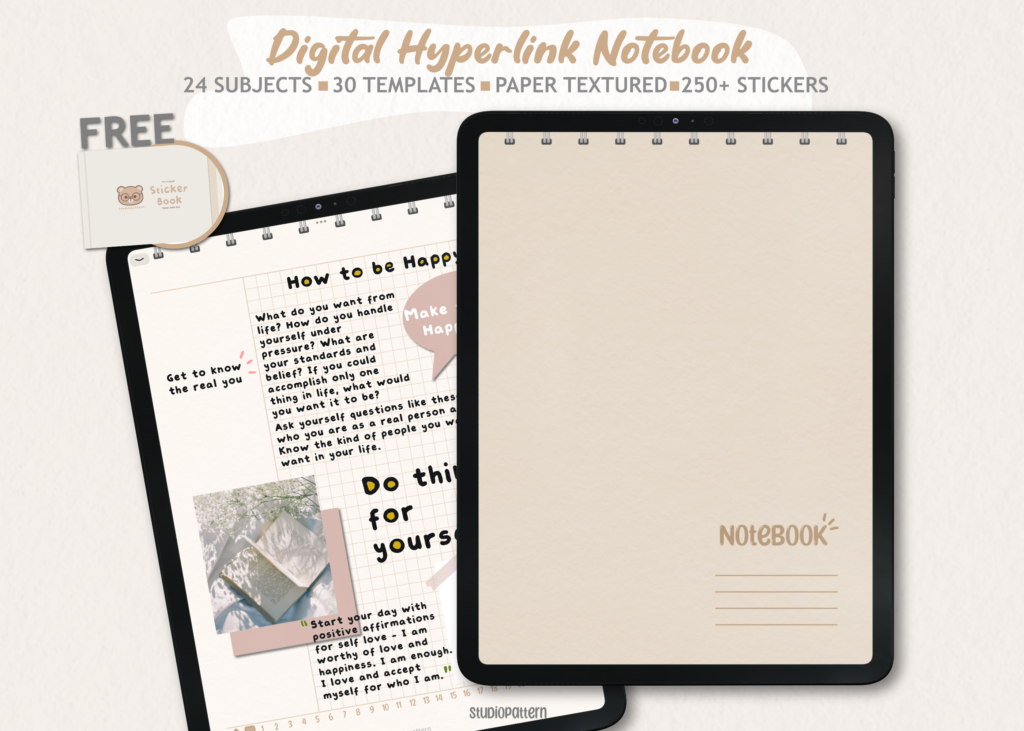
Sections: 24
Templates: 30
Best for: many subjects or projects in one file
- 24 divider tabs
- 30 note-taking templates
- Contents page
Twenty-four tabs leave room for every subject.
Best Compact Notebook
18. Digital Notebook, 5 Hyperlinked Tabs

Sections: 5
Templates: 30
Best for: one class or project
- 5 divider tabs
- 30 note-taking templates
- Contents page
A smaller version for focused notes.
Best Watercolor Notebook
19. Blank Hyperlinked Digital Notebook

Pages: 50
Best for: a calm, artistic journal
- Hyperlinked blank notebook
- Duplicate pages to add more
- Add stickers and widgets
Soft watercolor flowers for everyday journaling.
Best Daisy Notebook
20. DaisyNotes Digital Notebook, Blue

Apps: GoodNotes
Best for: a gentle pastel look
- Daisy themed cover
- Matching papers
- Use with a stylus or finger
A calm pastel notebook for daily notes.
Best Paper Pack
21. Digital Notebook Papers – GoodNotes
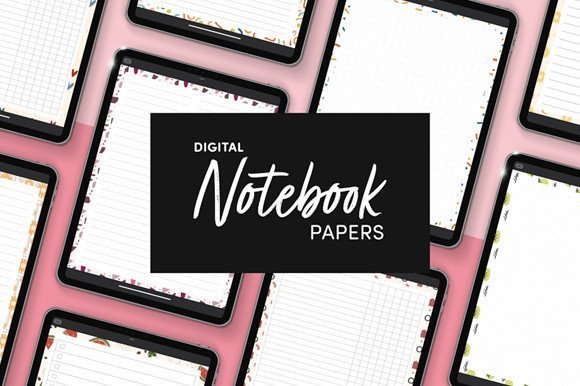
Designs: 9
Layouts: 8 per design
Format: PDF + PNG
Best for: adding new page styles to any notebook
- Columns, habit tracker, to-do and numbered list
- Dots, square grid, lines and notes
- Portrait 8.5 x 11 in
Import the papers into the notebook you already use.
Best Neutral Notebook
22. Nude Digital Notebook with Hyperlinked
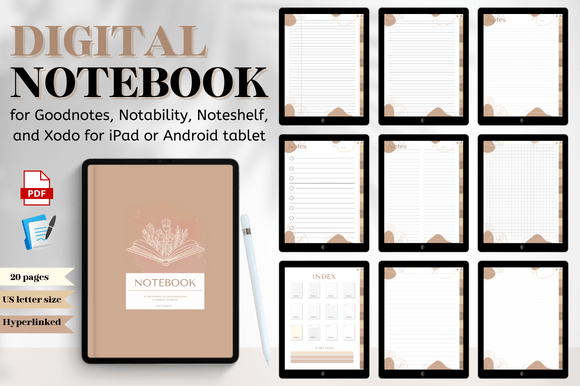
Format: Hyperlinked PDF
Best for: a calm, neutral look
- Hyperlinked tabs
- Neutral color palette
- Works in GoodNotes and similar apps
A quiet design that suits work and study notes.
Digital Notebooks at a Glance
| Type | Best for | Key features | Format |
|---|---|---|---|
| Large notebooks | A full year of notes | Hundreds of pages, many paper types | |
| Student notebooks | Classes and lectures | Many tabs, Cornell and graph pages | |
| Themed notebooks | Journaling | Cute covers, stickers | |
| Dark mode and paper packs | Custom setups | Dark pages, extra layouts | PDF, PNG |
FAQ
What is a digital notebook?
It is a PDF with clickable tabs and page templates that you write in with a stylus or keyboard in a note app on a tablet or computer.
What is the difference between a digital notebook and a digital planner?
A digital planner has calendars and dated or undated planning pages. A digital notebook mostly has blank, lined, grid or dot pages for notes.
Can I use a digital notebook in Notability or on Android?
Yes. Hyperlinked PDF notebooks usually work in Notability, Noteshelf, Xodo and other PDF annotation apps on iPad and Android tablets.
How do I add more pages to a digital notebook?
In GoodNotes or Notability, duplicate a blank page or add a template page right after the section divider.
Are hyperlinks kept when I import a notebook into GoodNotes?
Yes, as long as you import the PDF as a document. Tap the tabs in read-only mode to follow the links.
Final Thoughts
A digital notebook keeps every subject and idea in one tidy, searchable place. Choose a large notebook for a full year, a student notebook for classes or a themed notebook for journaling. For background, see this article on note-taking.